
Rough notes or full transcript: AI generated proposals work with whatever you've got
 Amy Mall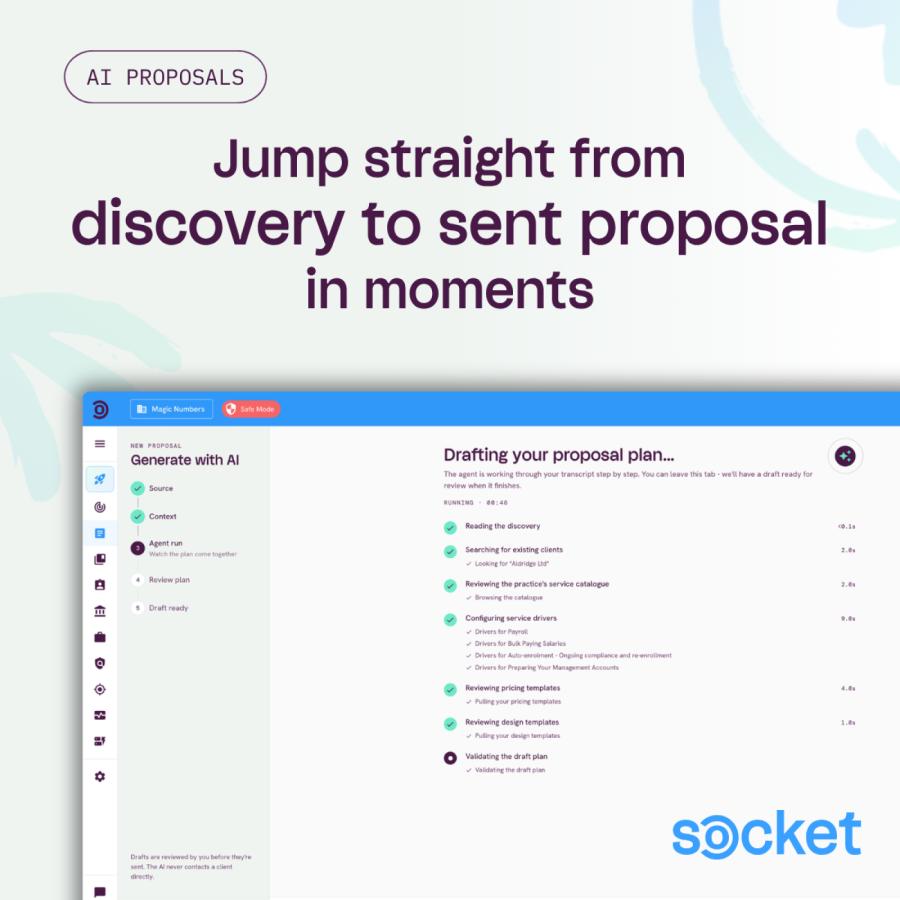
How Socket's new AI proposal tool helps you save time and get proposals out the door while the deals still warm, all while generating proposal content that leads and renewals actually want to sign.
Socket can now turn your discovery call into a draft proposal. Give it whatever came out of the conversation, a full transcript, an email thread or a Slack conversation and even a few lines of rough notes, and the AI identifies the client, picks out their pain points, matches the right services from your list, and builds a structured plan for you to review before the draft opens. What used to be 15 to 30 minutes of admin after a good call is now an upload and a review step.
"I was very impressed for the first use. It included all of the services I would have added. One thing I was really impressed with was the tailored proposal introduction that it produced."
Kirsty Glenister MICB, Founder and Director at 4CastBookkeeping
And it's not just for new business. The same flow works across the proposal lifecycle, all working from rough notes or a transcript:
New proposals: turn a discovery call or a quick chat into a first draft proposal, ready to review.
Renewals: rebuild an existing client's proposal for the year ahead, so you're not starting from a blank page.
Adjustments: update scope or pricing when a client's needs change mid-relationship.
If you haven't tried it yet, our AI proposal generation help guide walks through the whole flow.
It needs less than you think
You don't need a perfect transcript to get a useful draft. We've been testing the minimum input the generator can work from, and the answer is surprisingly little. Here's a real example of the kind of note we threw at it:
"Make a proposal for a company I met on the high street, I think they're called Lofa Ltd. They're a cafe, they'll probably want the usual services for cafes and just choose the best fitting design template, plus a Xero conversion project."
That's two sentences and it was enough. The plan came back with sensible service suggestions, a shape for the ad hoc conversion project, and a recommended presentation from the design templates.
Even a pasted in Slack conversation or email thread is enough to get started with. The generator is connected to your pricing and services list as well as your pricing and design templates, so it builds with your actual set-up, and the output is a proposal you could almost send right away. Where the AI has guessed, it includes a confidence of ‘low’ so you know where to look first during your review. It won't invent what it can't know, and anything missing can be added in before the draft is built.
So if rough notes get you a solid draft, what does a good conversation get you?
Here's how Alexander Malmström put it:
"I was actually surprised how well it worked, especially since I use it in Swedish. I already have experience with transcribing my sales calls and using Claude to produce info for proposals, which I then copy-paste into Socket. With this new feature I can skip that altogether.
Since Socket is connected directly to the pricing lists and all my services, it basically produces a ready-to-go proposal. It's just up to me to make sure that I ask the right questions during the call to get the info that I need."
Alexander Malmström, Practice Owner at DigiM Redovisning
The goal: pain points in the client's own words
When the transcript or your notes capture client specific frustrations, the AI carries them through to the plan, and the proposal can speak to what they actually said. This builds into the foundation of a strong value proposition: their problem, their words, and your solution.
Ask about the headaches, not the services they need: “What's your biggest frustration with how you handle this today?” is an open question that gets you something like “I can't get a monthly breakdown of payroll costs by department”, which is worth far more to you than a yes to “do you need payroll?”
Ask what good looks like: "For this to be working well in six months, what will need to have changed?" gives the proposal clear outcomes to point at.
Let the client talk: the transcript or your notes needs their words, not just your paraphrase of them. Resist the urge to summarise on their behalf mid-way through a call, and ask more questions instead. When the client has something to say, let them. Your chance for a recap or to cover any practice/accountancy specific wording can wait for later in the call.
None of this is performing for the note taker or for AI. A client who is asked the right questions and hears their problems played back accurately walks away feeling heard, and that was true long before AI could read a transcript. The difference now is that you can stay engaged in the meeting, and the proposal sent to their inbox echos what they said without you needing to scribble notes the whole way through.
Optional tips and tricks
Beyond the pain points, a handful of details make the draft sharper and your review quicker. None of them block anything, and anything the call misses can be added as additional context before the AI runs.
Keep your pricing menu, pricing and design templates up to date: this includes your current prices, current bundles, and the presentation styles you want pulled from your templates.
Mention the numbers that drive your pricing: client metrics like headcount, transaction volumes, payroll frequency, or number of sites. If it feeds your pricing drivers, it's worth saying out loud for the meeting transcript or including in your prompt notes.
Consider a short recap to close a transcript: going over agreed services, key numbers, and next steps puts the essentials in one clean block, while also summarising for the client what they've just agreed to. Again, this is just optional, as anything you want to add can always go in as additional context during the proposal generation.
This is just the beginning
The more you put through the AI tool, the more context your proposals and Socket build up about your clients and the way you price your services. That means everything Socket already does for you today, it can do better over time: understanding your clients more clearly and pricing the work more accurately. You can focus on delivering high value services to your clients, and we focus on making sure you stay profitable.
Start with what you have
Our honest advice is this: don't wait until you have a perfect discovery process to try it. The generator is smarter than we all expected, so give it a try with whatever you have.
Throw in the rough notes from your last call and see what comes back. Then, on your next call, ask one or two more questions and watch to see how the drafts improve.
Ready to put your notes through it? The AI proposal generation help guide shows you exactly where to start.